.svg)
Table of Contents

Did you know it is possible to send SMS automatically over the Internet? One such solution is known as cloud messaging. Behind this technical term actually lies a very simple concept: cloud messaging solutions involve distributing the load ofsending SMS across multiple simultaneous servers to multiply sending capacity. Octopush has anticipated this revolution to provide its clients with a reliable and secure web application to optimize Push campaign delivery. In this article, we will explore how these new services, which are replacing commercial emails, work and how you can leverage them for your business management!
How does cloud messaging work?
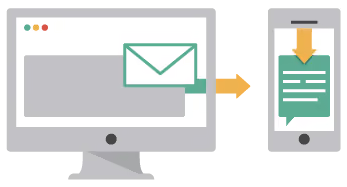
The principle is simple: you make a request asking Octopush to send one (or more) SMS to your customers. Based on this request and the current load on each server, Octopush simply assigns your request to one or more servers. The servers managed within the cloud environment then handle sending your message according to the parameters specified in your request. Cloud messaging is a true revolution in the field of SMS solutions, because not only can you multiply your sending capacity (unlimitedly, as it is all a matter of server capacity), but you also benefit from exceptional availability (the Octopush solution is around 99.99%).

How can you benefit from it?
Octopush is accessible via a SMS API designed for developers. You also benefit from a responsive and modern web platform to simplify your SMS sending. The API is practical, and the technical documentation is very well-written, featuring examples and pre-designed source code. An API is a computer program designed to facilitate the exchange of information between multiple remote servers. The API solution operates based on technical code, which is accessible via any programming language such as PHP, Python, VBA, etc. In case of technical issues, Octopush services provide full support via email, tickets, and more. The Octopush web interface allows you to configure your campaigns and manage your entire account. You can import contacts, manage them, remove duplicates, set up campaign templates, and create Push campaigns. The services offered cover a very wide range of needs (including voice notifications).
Some practical examples
Here are some practical examples for implementing cloud messaging: 1/ Account creation confirmation: For every new account created, you can send a confirmation SMS to the user's mobile. 2/ Password change (One Time Password): Changing a password is a sensitive operation. If you store sensitive data, it can be useful to ask your users to confirm the password change via a secret code sent automatically to their mobile phone. 3/ Member area authentication confirmation: If you store sensitive data, consider implementing "2-factor" authentication via an SMS code sent automatically with every new login attempt. 4/ Appointment confirmation: Confirm appointments via SMS. After each booking, your subscribers will receive a message on their mobile phone confirming the exact date of the appointment. For medical offices, this is primarily about eliminating delays or missed appointments, thereby optimizing office management. 5/ Appointment reminders: Before each appointment, especially for medical offices, it is vital to send a reminder via SMS or voice notification (Octopush offers this option on the platform, with automatic text-to-speech conversion via a speech API). Voice notification works like an audio SMS (a simple call to a mobile phone). Your customer support team doesn't need to handle reminders, as the API handles it 100% automatically. 6/ Order confirmation: Develop a module to automatically send a message every time an order is validated! It is an effective way to thank your customers. 7/ Address confirmation request: In some cases, to avoid input errors, it is practical to confirm your customers' delivery addresses. To do this, set up a system to auto-detect potential input errors (validating zip codes, cities, street addresses, etc.), and for every error detected, a message will be automatically sent asking your recipient to verify and, if necessary, provide the correct address via SMS. 8/ Delivery tracking: It is essential to reassure every customer when they place an order. Do not hesitate to send delivery tracking notifications to each customer. Being able to receive delivery-related notifications is often very reassuring. 9/ Promotional marketing campaign: A Push marketing campaign has many advantages: it is fast, has a high reception rate, a very high open rate (around 95%), and high responsiveness (in most cases, opened within five minutes of receipt).
Tips
1/ Develop a web app to automate every message dispatch. Android/iPhone apps are an excellent way to optimize your mobile activity. Note that it is technically possible to design applications using simple HTML/JavaScript code (by using services like PhoneGap, for example); 2/ Your recipients should feel valued, so it is best not to overwhelm your SMS with overly aggressive information; 3/ Octopush offers a free application for storing campaign templates. Take advantage of this service's solutions to boost your sales sector; 4/ Your SMS must be punchy; 5/ Stand out from your web strategy: offer different information in each dispatch; 6/ Take advantage of the API service to enrich your offers with highly innovative solutions, such as intercepting your recipients' responses; 7/ Develop special applications for mobile phones; 8/ Offer a high-end service in your applications. If you have any questions, do not hesitate to contact customer support, which remains reachable by phone, email, or via a web form.